Streamlined three-tier loyalty program where every member enjoys the same high-quality rewards, with benefits escalating at each tier.
Simple yet effective, this program stands as the best deal for Eloking's boosting services, ensuring maximum value and satisfaction for all our users.
Cashback on all Eloking boosts (3%, 5%, 7%)
Discounts for all Eloking boosts (5%, 10%, 15%)
Discount for a friend 🤗
Free daily lootbox spin with industry-leading rewards
Member exclusive season and event offers
How to change your name in Marvel Rivals
j
Anthony King
Gamer
03 Feb 2026
Updated On
Marvel Rivals [1] is out and it’s taking the world by storm thanks to its unique take on characters. Players are constantly jumping into the game to enjoy playing various different game modes with their friends and loved ones. However, those who never thought Marvel Rivals would be as popular as it is might have chosen an incorrect game for themselves.
Today, we’re here to go through everything players need to know about changing their name in Marvel Rivals. In addition to the step-by-step breakdown for changing your name, we’ll also go through everything players need to know about affording a rename card in Marvel Rivals. Naturally, we’ll also highlight the guidelines players must follow when changing their names.
So, without further ado, here’s how to change your name in Marvel Rivals.
Step by Step Breakdown to change your name
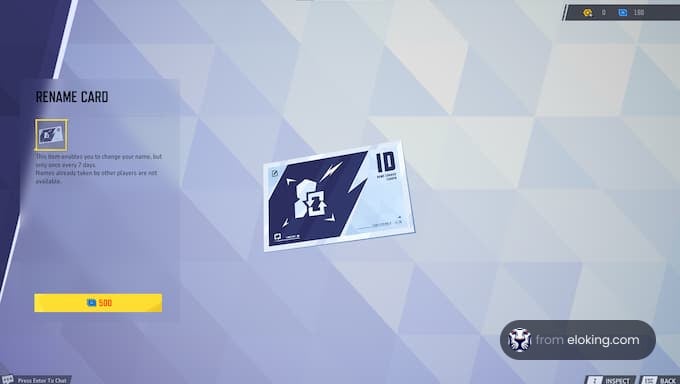
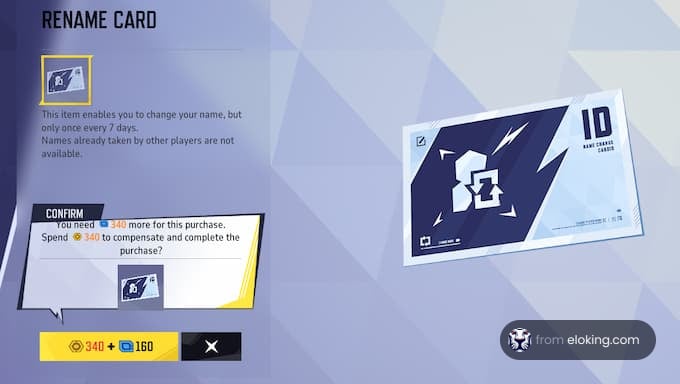
Changing your name in Marvel Rivals is fairly easy, but requires a bit of consideration due to the costs involved. First, head to your Career Profile by clicking on the icon in the top-right corner of your main menu. Here, you can see your stats, achievements, and current username. Spot a pencil-shaped icon next to your username, and click it. You will be redirected to a screen where you can purchase a Rename Card required to change your name.
Once you have the Rename Card, the rest of the process is simple. Use the card and enter your new username. Confirm to check any spellings or errors, as Rename Cards are not reusable. After changing your name, there's a cooldown period of seven days where you won't be able to change your name, which helps ensure username stability across the game.
Struggling to win? Bad teammates?
Purchase a game with one of our PRO players.
One game
Average wait time <30 minutes
$4.00
$3.32 per game
Two games
Average wait time <30 minutes
$8.00
$3.00 per game
Three games
Average wait time <30 minutes
$12.00
$2.50 per game
How to afford a rename card in Marvel Rivals
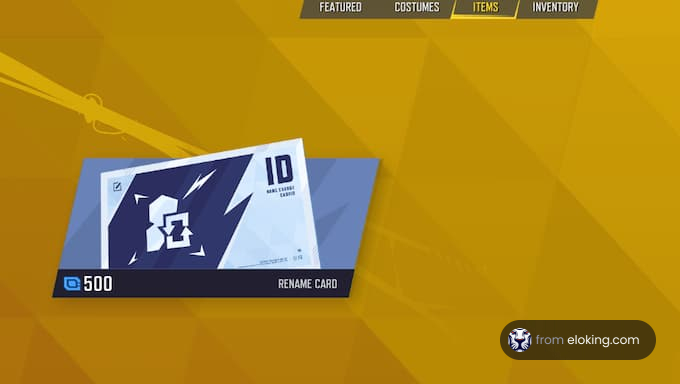
The Rename Card is available exclusively in-game and costs 500 Units. If you can't afford one or need to purchase it again if you change your mind, you need Units. There are multiple ways to collect Units in the game. You can earn a lot by completing missions, like those in the Season Event. These award you with Units and other rewards like Chrono Tokens upon completion.
You can also collect Units from the Luxury Battle Pass, which includes exclusive skins and additional Lattice. The first battle pass, Chronobium, offers up to 300 Units. If you are not interested in grinding for Units, you can directly purchase Lattice with real money and convert it to Units. This is a more immediate solution if you can afford it.
Name Change guidelines in Marvel Rivals
When renaming your account, there are a few guidelines to consider. Firstly, usernames must be unique and not duplicates. This prevents players from having the same names as others. Moreover, offensive or inappropriate usernames are prohibited. The system has filters in place to flag certain words or phrases. There have been reports of players receiving warning messages for having offensive usernames, with some also being offered a free Rename Card.
Additionally, there are some property-related restrictions as well. You cannot use names of established Marvel characters, such as Thor or Spider-Man. These are banned to avoid confusion mid-game. If you find your name flagged, you can try appealing through customer support, but the outcomes can vary. Making sure your new username follows the rules helps avoid any disruptions or forced changes later.
Go to your Career Profile (top-right icon) and click the pencil icon next to your username. This will take you to where you can buy a Rename Card. After purchasing, use the card to enter and confirm your new name.
Changing your name requires a Rename Card, which costs 500 Units. You can earn Units by completing missions, through the Battle Pass, or by purchasing Lattice with real money and converting it.
Yes, usernames must be unique and not duplicates. Offensive or inappropriate names are prohibited, and you cannot use the names of established Marvel characters like Thor or Spider-Man.
After changing your name, there's a seven-day cooldown period before you can change it again. This helps ensure username stability within the game.
What’s next?
Now that you have learned something new - it’s time you start playing and get better. Choose a game to purchase Eloking Boost for.
Purchase ELO Boost at Eloking
and start playing at the rank you deserve!




















 Quality
