Streamlined three-tier loyalty program where every member enjoys the same high-quality rewards, with benefits escalating at each tier.
Simple yet effective, this program stands as the best deal for Eloking's boosting services, ensuring maximum value and satisfaction for all our users.
Cashback on all Eloking boosts (3%, 5%, 7%)
Discounts for all Eloking boosts (5%, 10%, 15%)
Discount for a friend 🤗
Free daily lootbox spin with industry-leading rewards
Member exclusive season and event offers
How to change your Valorant name
h
Hamza Rashid
Gamer
03 Feb 2026
Updated On
With Valorant being one of the fastest-growing competitive games, the one thing that helps players set themselves apart from the others is their unique Valorant name, or ID. With playing with friends being a huge aspect of the game, those who chose a bad ID may want to change their Valorant name.
Fortunately, Valorant lets you change your name without any problem. While the username is a different case altogether, changing your Riot ID is fairly straightforward, and you just need to keep the cooldown in mind when changing it. Of course, you also need to know where the option is found.
So, if you’re looking to change your name in Valorant, keep reading because we have you covered.
Is your Riot ID the same as your username?
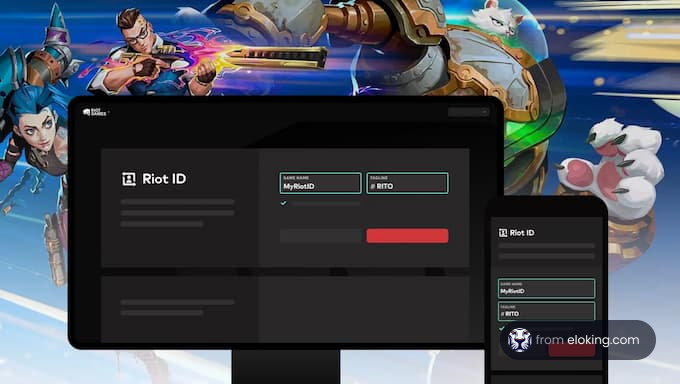
Before you rename yourself in Valorant, you need to know which names you can actually change. The one everyone sees in matches, including your teammates, opponents, and even friends in other Riot games, is your Riot ID. It consists of your chosen name plus a short tagline, and updating it will refresh your display name not only in Valorant but also in League of Legends, TFT, and any other Riot title you play.
Your Riot account username is a different story. You use it only to log in, and it cannot be changed. Luckily, it’s private and never shows up in matches, so you don’t need to worry about it. For customizing how people see you in-game, the Riot ID is the only name that really matters.
Struggling to win? Bad teammates?
Purchase a game with one of our PRO players.
One game
Average wait time <30 minutes
$4.00
$3.32 per game
Two games
Average wait time <30 minutes
$8.00
$3.00 per game
Three games
Average wait time <30 minutes
$12.00
$2.50 per game
How can you change your name in Valorant?
Changing your username doesn't take long and only needs a few steps, but you’ll have to do it via Riot’s official account page instead of the in-game client. To begin, make sure the Valorant client is closed to avoid any syncing issues when you update your Riot ID. Next, head over to Riot’s website and follow these steps.
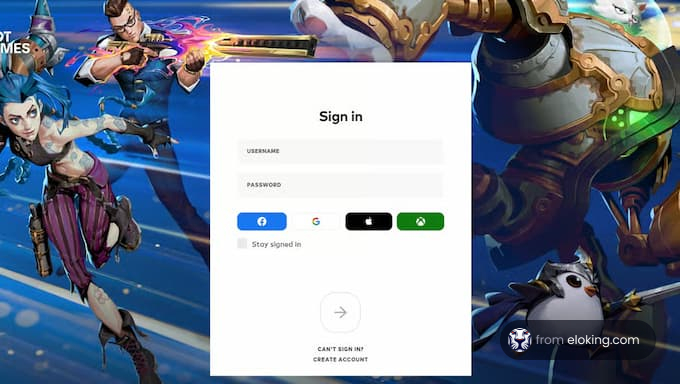
Log in to your Riot Games account through a browser [1].
Open the Riot ID tab on your dashboard.
Type in your new game name and tagline.
Hit Save Changes.
Relaunch Valorant to see your new name.
The update usually works instantly, but if your name doesn’t appear right away, a quick restart usually resolves things.
What are Riot’s policies on name changes?
Riot gives players room to personalize their names, but there are a few rules you’ll want to keep in mind. The biggest one is the 90-day cooldown. Once you change your Riot ID, you won’t be able to do it again for three months, so make sure you’re confident with your choice before locking in.
Another key rule is that your Riot ID, which consists of your name and tagline, must be unique. The tagline is the short code after the “#”, which is intended to allow multiple people to use the same name while keeping the IDs separate. If your first pick is already taken, try out a few different taglines until you find one that works. Below are a few points to keep in mind.
Keep the name length between 3 and 16 characters.
Keep the tagline length between 3 and 5 characters.
Don't include any offensive, hateful, or explicit terms.
Avoid default region tags, like #NA1 and #EUW.
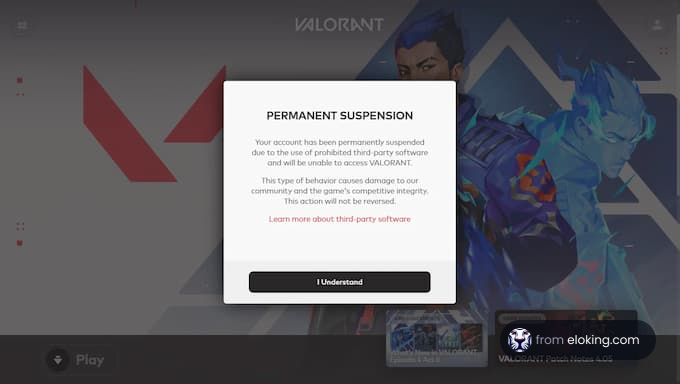
If you break Riot’s rules, you might be forced to change your name or even face penalties. In situations where you really need a new name before the cooldown ends, like harassment cases, you can try reaching out to Riot support. Stick to these rules, choose wisely, and your new Riot ID will be ready to represent you every time you queue up.
Riot enforces a 90-day cooldown. If you need a change due to harassment, contact Riot Support. Otherwise, you must wait the full 90 days.
Close Valorant, log in to your Riot account on their website, go to the Riot ID tab, and enter your new name and tagline. Save the changes and relaunch Valorant.
No, your Riot username is used only for logging in. The name displayed in Valorant is your Riot ID, which includes your chosen name and a tagline.
Names must be 3-16 characters, taglines 3-5. Avoid offensive terms and default region tags. Your Riot ID must be unique.
You can only change your Riot ID every 90 days. Be sure you're happy with your choice before saving, as you'll have to wait three months for another change.
What’s next?
Take your Valorant gameplay to the next level and climb the ranks with ease - buy Valorant boost now!
Purchase Valorant Boost
and start playing at the rank you deserve!

















 Quality
